 Furnish
Virtual staging
Empty rooms, furnished in a minute.
Upload a photo of an empty room, pick the room and a style, and get the same room back furnished for your listing: the same walls, windows, floors and light, with furniture and decor added. See it free before you pay.
- ✓ Six styles, seven kinds of room
- ✓ Clears clutter first, if you ask
- ✓ “Virtually staged” label, optional
- ✓ 3 free stagings, no subscription
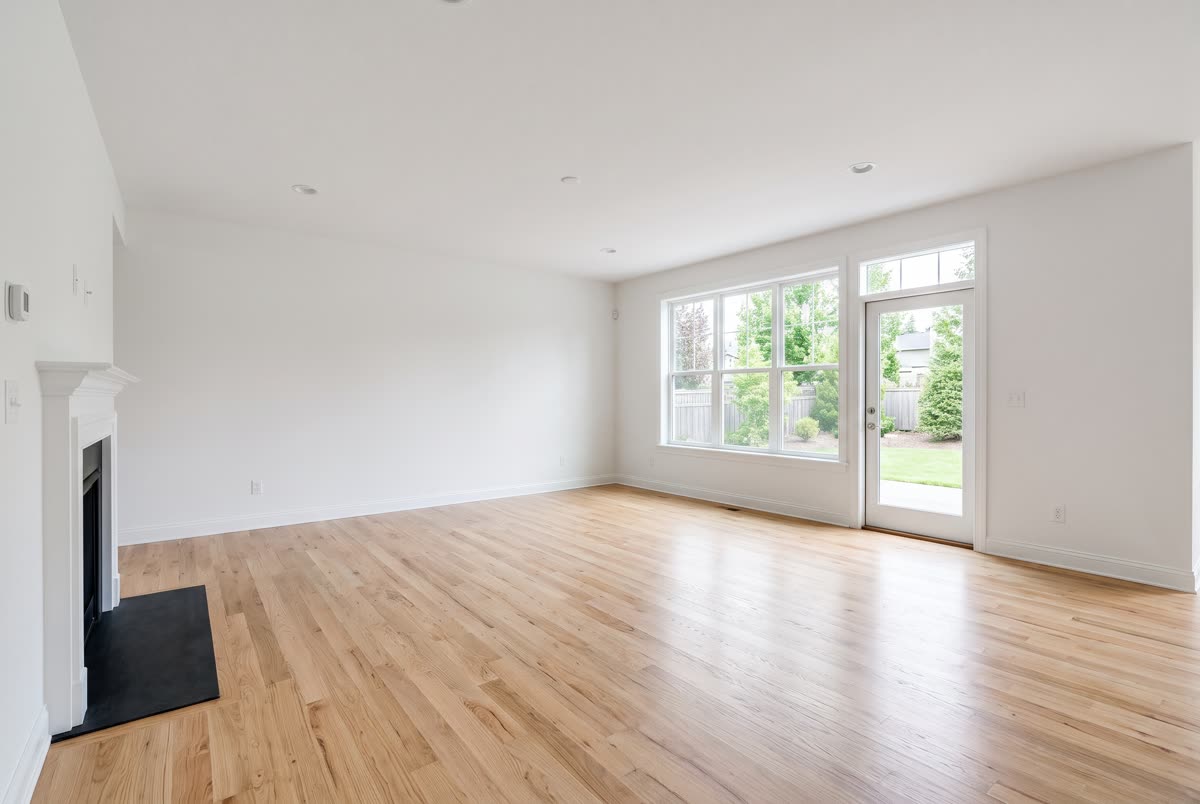
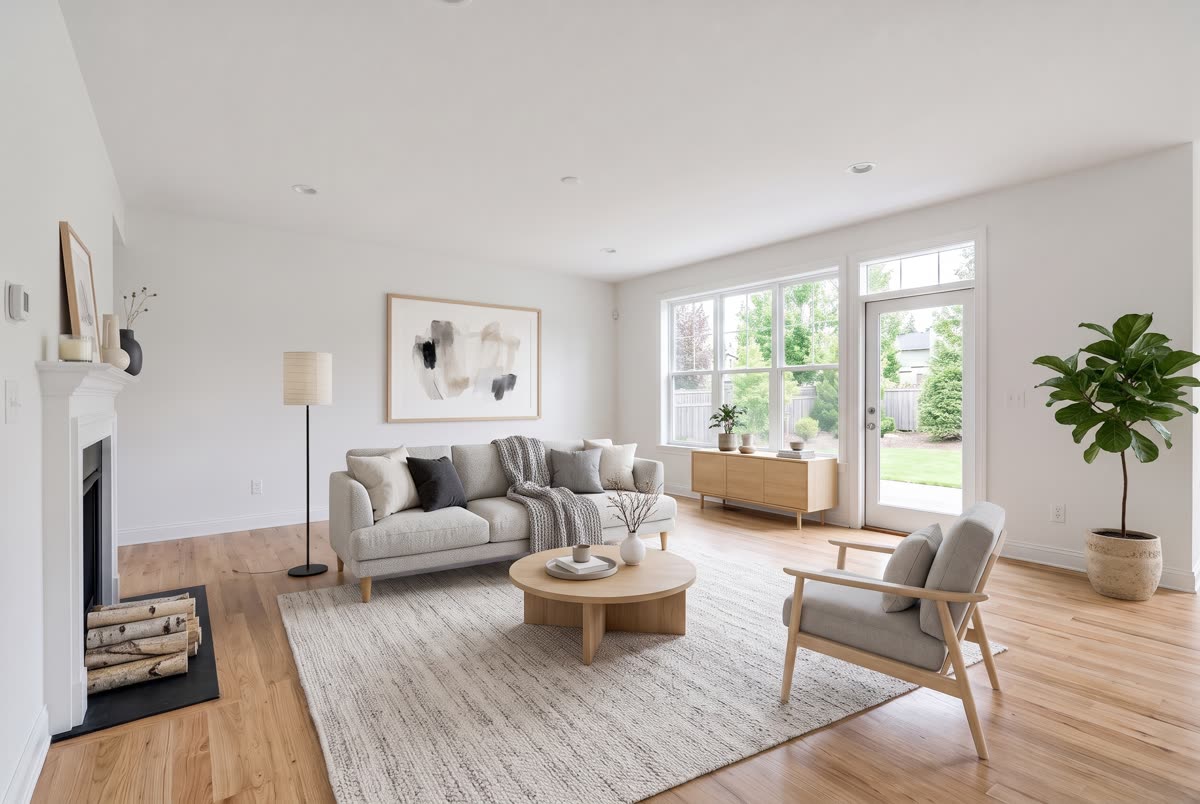
One room, three styles
The same room, every time.
Try a style, then another on the same photo. The fireplace, the windows and the floor stay where they are; only the furnishing changes.
-
Scandinavian
Light woods, soft textiles, calm and bright.
-
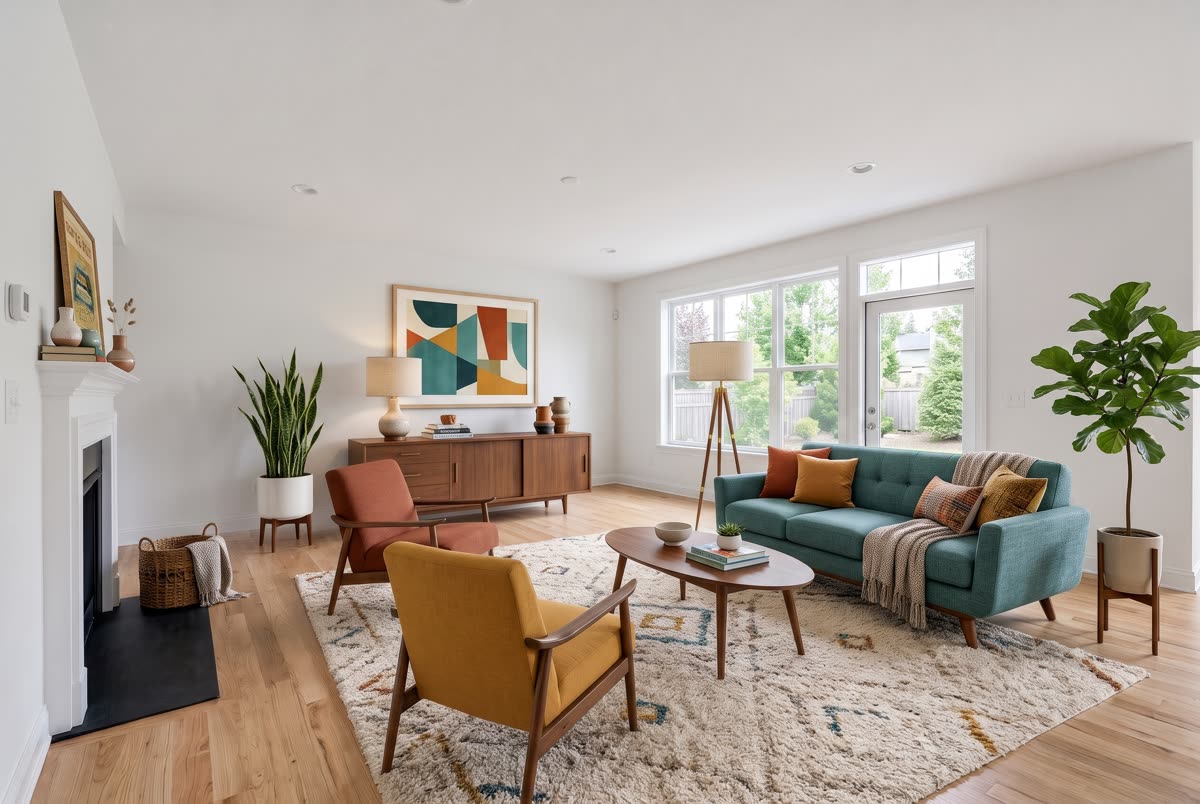
Mid-century
Walnut, tapered legs, warm color.
-
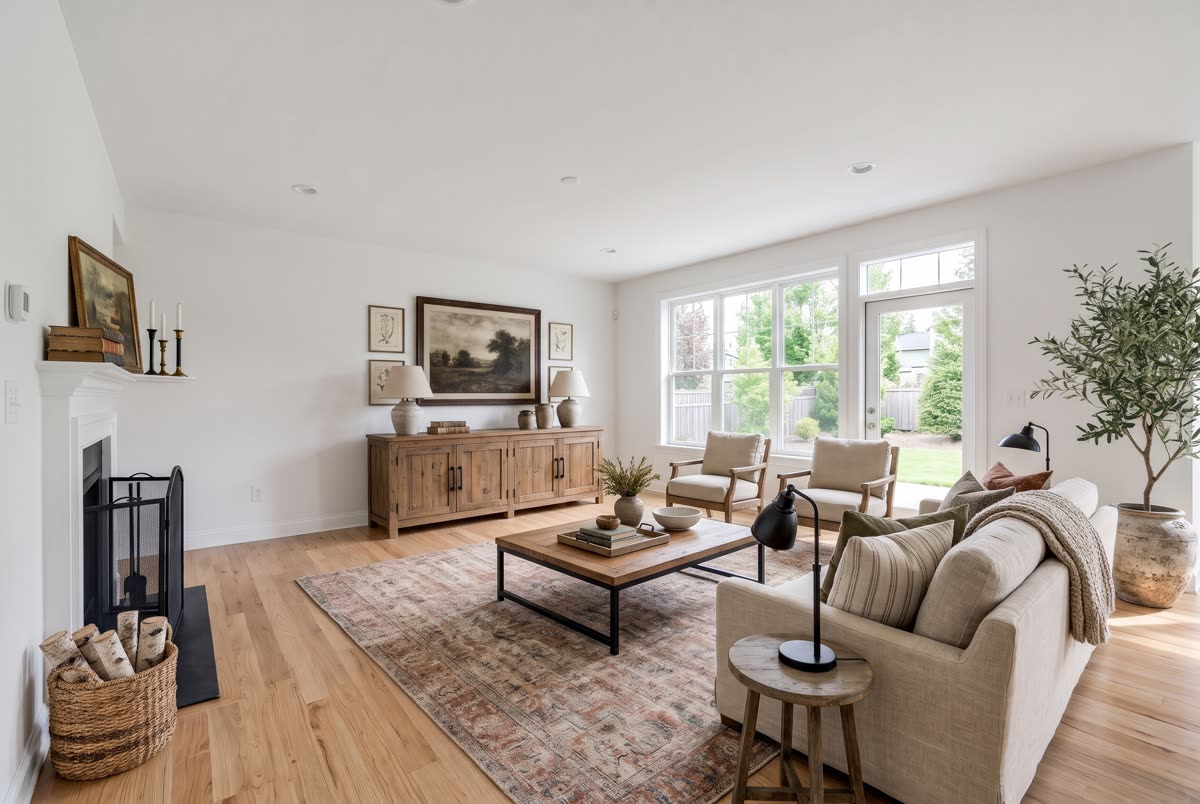
Farmhouse
Warm wood, linen and vintage touches.
Also modern, coastal and luxury, for living rooms, bedrooms, dining rooms, kitchens, offices, kids’ rooms and patios.
How it works
Three steps, about a minute.
-
1
Upload the room
Sign in with Google, add a listing photo, and pick the room and a style. Furnished already? Ask for it cleared first.
-
2
See it furnished
The staged room appears beside the empty one. Drag across it to check nothing about the room moved, free.
-
3
List it
Download the full-resolution photo, with or without the “Virtually staged” label. Want a smaller sofa? Ask in plain words.
Questions
Good to know
Will it change the room itself?
It shouldn't. Furnish is told to add only movable things, furniture, rugs, lamps, plants and decor, and to leave the walls, windows, doors, floor, ceiling, fixtures and the camera's view exactly as they are. AI can still slip, so drag across the photo to compare it with the empty room before you use it, and stage it again or ask for a change if anything about the room moved.
Do I have to say a photo is virtually staged?
In many places, yes: most listing services and many real estate rules require virtually staged photos to be disclosed. Furnish can put a small "Virtually staged" label in the corner of the download. Check the rules where you list.
What photos work best?
A bright, level, landscape photo taken from a corner of the room at about chest height, with the lights on and the blinds open. Empty rooms work best; for a furnished or cluttered room, tick "Clear the room first". JPEG, PNG and WebP files up to 10 MB are accepted.
How much does it cost?
Every account gets 3 free stagings, and seeing a staged room is always free. Downloading the full-resolution photo is one payment for that photo, with the price shown before you pay, and it includes changes until it's right. There is no subscription.
Why do I need to sign in?
So your rooms stay together and private, and so the free stagings go one set to each person. You sign in with your Google account; Furnish keeps only your name and email address.
Got an empty listing?
Your first three rooms are free.